Instruction guide
Read the build, one step at a time.
Understand numbered steps, new pieces, colors, layer views and PDF pages in a Lingo Lego digital building guide.
Begin with the right size and version.
Open the instructions for the size you are viewing. A small, medium or large design can use a different layout and different parts. Do not mix a parts list from one size with the booklet from another.
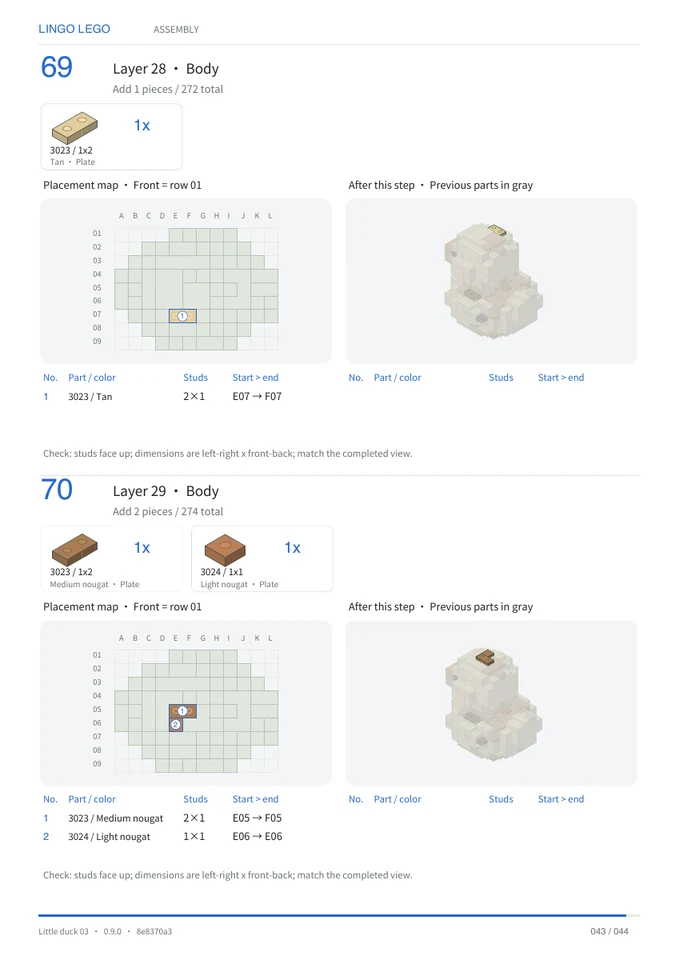
Follow the numbered building steps.
Check the new pieces and their colors for the current step, then compare their placement with the pieces already shown. Rotate the online preview when a connection is hard to see.
Layers and steps are different views.
The layer animation shows the design appearing by layer. The numbered instruction steps divide that design into smaller additions. A logical layer number is not a physical height measurement.
Use the parts list as a design inventory.
The CSV records part names, colors and quantities for the design. It does not check your personal inventory or quote a purchase. Keep the corresponding PDF and CSV together.
Read the review notes before assembly.
If connectivity, simplified pressure or assembly needs review, examine the indicated areas. Software checks do not validate stud grip, friction and all physical construction states.
Reviewed by the Lingo Lego team · Updated